Fix Epson Stylus Pro R7880 NEar end Service Life

| 0 komentar |
Repair the Printer error message "parts inside printer near end service life� or �parts inside printer end of service life�, but before follow the procedure, make sure that the power of the printer is on, usb cord properly connected to your computer and most of all there�s no pending print task in your printer. Click here to download the program Epson Resetter. This Epson Resetter is for Epson Wide Printer, Epson Stylus R Series Epson R7880 Printer.
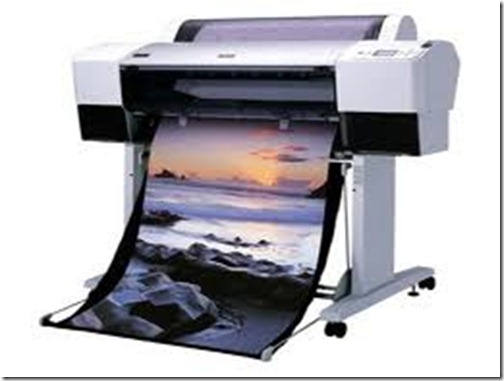
The Model of Epson Stylus Pro  R7880 Printer
Epson Stylus Pro 7880
Follow the steps below:
  • Open AdjProg.exe
  • Click Accept
  • Click Select button, and click your printer model
  • Click "OK"
  • Click the Particular Adjustment Mode
  • Select Waste ink pad counter
  • Click OK
  • Click Initialization (this will reset counter)
  • Turn off the printer
  • Then turn on again.
Done!

Click here to download the program Epson Resetter
Read More..

How to Reset Epson Stylus SX105 Printer

| 0 komentar |
Before opening the Epson adjusment program, make sure there it is power on, properly connected to your computer and most of all there�s  no pending print task in your printer.
Follow the steps below:
Open the Adjprog.exe. Click �Accept� button to open the program
Adjustment 
This is the adjustment program of Epson Stylus SX105 Printer
Euro
Select Model Name, Destination, Port
Then Click �Particular adjustment mode� button.
Counter
Select on �Waste ink pad counter� and click �OK� button
wasteink

Check on Main pad counter and click on �Initialization� button and the program will reset the protection counter.
  • Turn off the printer as a program instructed then turn on again
  • Finish

Click to download the utility program
Read More..

Alternate Blinking Epson Stylus SX100 Printer

| 0 komentar |
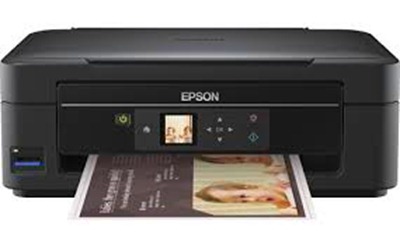
Before opening the Epson adjustment program, make sure that the  power of the printer is on, properly connected to your computer and most of all there�s no pending print task in your printer. This Epson Resetter is for Epson Printer with  a model of Stylus SX100 Printer

Follow the steps below:

Open the Adjprog.exe. Click �Accept� button to open the program
Sx100

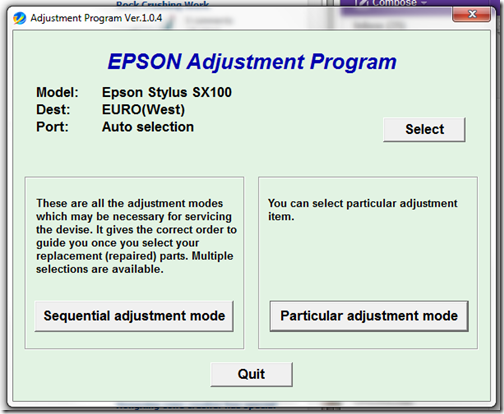
This is the adjustment program of Epson Stylus SX100 Printer
Euro_West

Select Model Name, Destination of your printer
6

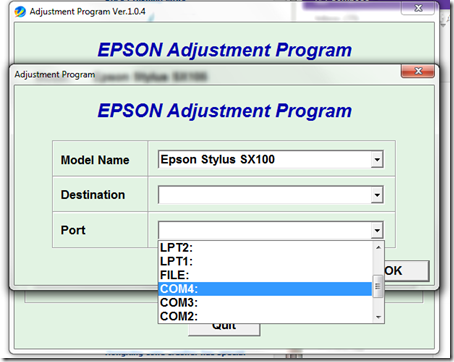
Select  port or just select auto then click ok
Then Click �Particular adjustment mode� button.
Ink charge

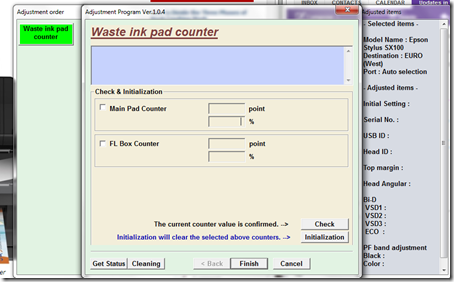
Select on �Waste ink pad counter� and click �OK� button
counter

Check on Main pad counter and click on �Initialization� button and the program will reset the protection counter.
  • Turn off the printer as a program instructed then turn on again
  • Finish
Click here to download the Epson Resetter program
Read More..

Epson Stylus Photo 1390 Counter Reset

| 0 komentar |
This is the Epson Resetter for the Epson  Printer with a model of Epson Stylus Photo  R1390. Just Download and follow the instruction below to fix the problem of your beloved printer.
Before opening the Epson adjustment program, make sure that the power of the printer is on, properly connected to your computer and most of all there�s no pending print task in your printer.  download  Windows 7 compatible Epson Resetter program

Follow the steps below:

  • Open the executable file of program
  • Click  Accept
  • Click  Select button, and click your printer model
  • Click "OK"
  • Click the Particular Adjustment Mode
  • Select Waste ink pad counter
  • Click OK
  • Click Initialization (this will reset  counter)
  • Turn off the printer
  • Then turn  on again.
Finish !

Read More..

Reset Epson Stylus Office T40W Printer

| 0 komentar |
Before opening the Epson adjustment program, make sure that the power of the printer is on, properly connected to your computer and most of all there�s no pending print task in your printer.

The Epson Stylus Office T40W Printer

t40w
Follow the steps below:
  • Open AdjProg.exe
  • Click Accept
  • Click Select button, and click your printer model
  • Click "OK"
  • Click the Particular Adjustment Mode
  • Select Waste ink pad counter
  • Click OK
  • Click Initialization (this will reset counter)
  • Turn off the printer
  • Then turn on again.
Finish!

Click here to download the resetter program link 1
Click here to download the resetter link 2
Read More..

Epson ME Office 535 Alternate Blinking Error

| 0 komentar |
Before opening the Epson adjustment program, make sure that the power of the printer is on, properly connected to your computer and most of all there�s no pending print task in your printer. This Epson resetter is used for Epson Printer with a model of Epson ME Office 535. Compatible for 32bit Windows 7,   download  epson resetter and follow the guide below or follow the guide indicated in the epson resetter program. The best operating to use is Windows xp


The Epson ME Office 535  Printer Model
me535
Follow the steps below:
  • Open AdjProg.exe
  • Click Accept
  • Click Select button, and click your printer model
  • Click "OK"
  • Click the Particular Adjustment Mode
  • Select Waste ink pad counter
  • Click OK
  • Click Initialization (this will reset counter)
  • Turn off the printer
  • Then turn on again.
Finish


Read More..

Near end of service life Epson Stylus R290 Printer Error

| 0 komentar |
Before opening the Epson adjustment program, make sure that the power of the printer is on, properly connected to your computer and most of all there�s no pending print task in your printer. Click here to download the epson resetter Windows XP or Windows 7 32 bit program. This Epson Resetter is for the Printer Model, Epson R285, Epson R280 and of course Epson Stylus Photo R290 Printer.

I can not guarantee that  This Epson Resetter will work to your printer. Depending on your location or your printer bought, The Epson Resetter for this said model don't work. Like in Asia. The epson resetter came from south america is not working for this. Just post the comments if this doesn't work


The Epson Stylus R290 Printer


epson r290


Follow the steps below:
  • Open AdjProg.exe
  • Click Accept
  • Click Select button, and click your printer model
  • Click "OK"
  • Click the Particular Adjustment Mode
  • Select Waste ink pad counter
  • Click OK
  • Click Initialization (this will reset counter)
  • Turn off the printer
  • Then turn on again.
Finish!


Read More..