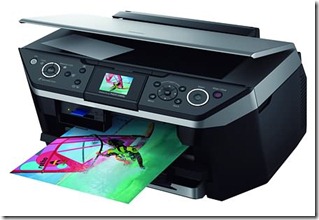
Epson Stylus Office T1100 Adjusment Program

| 0 komentar |
The error message appears "parts inside printer near end service life� or the message �parts inside printer end of service life� in your Epson Office T1100. but before following the procedure, make sure that the printer is on, usb cord properly connected to your computer and most of all there�s no pending print task in your printer.

Follow the steps below:
  • Open AdjProg.exe
  • Click Accept
  • Click "OK"
  • Click the Particular Adjustment Mode
  • Select Waste ink pad counter
  • Click OK
  • Click Initialization (this will reset counter)
  • Turn off the printer
  • Then turn on again
Done!

Click here to download the program
Read More..

Counter resetting Epson Stylus RX610 Printer

| 0 komentar |
Restore the printer problem and print back to normal after following the troubleshooting guide. The  Message �printer near end service life�  or �printer end of service life�, it does not mean that you should throw the printer. There's no problem in your printer,  the problem was the maximum counter  value  have reach to its limit.To fix the this kind of problem you need to  download the program and before opening the Epson adjustment utility, make sure that the power of the printer is on, properly connected to your PC System and most of all there�s no pending print task in your printer. Click here to download epson  resetter. Tested in Windows XP and Windows 7 32 bit Desktop  Computer and Notebook PC.

The Epson Stylus RX610 Printer Model
Epson Stylus Photo RX690_1

Follow the steps below:
  • Open AdjProg.exe
  • Click Accept
  • Click "OK"
  • Click the Particular Adjustment Mode
  • Select Waste ink pad counter
  • Click OK
  • Click Initialization (this will reset counter)
  • Turn off the printer
  • Then turn on again.
Finish!


Read More..

The Epson Stylus CX7300 Near End of Service

| 0 komentar |
Reset  the printer problem and print back to normal after following the troubleshooting guide. A Message �printer near end service life� or �printer end of service life�, it does not mean that you should throw the printer. There was no problem of your printer, the problem is that�s its maximum counter  limit value have reach to its maximum allowed.To fix the this kind of problem you need to download the program and before opening the Epson adjustment utility, make sure that the power of the printer is on, properly connected to your computer and most of all there�s no pending print task in your printer.

The Epson Stylus  CX7300 Printer Cartridges
Cx7300 Cartridge
Follow the steps below:
  • Open AdjProg.exe
  • Click Accept
  • Click "OK"
  • Click the Particular Adjustment Mode
  • Select Waste ink pad counter
  • Click OK
  • Click Initialization (this will reset counter)
  • Turn off the printer
  • Then turn on again.
Finish

Click here to download the resetter
Read More..

Epson Stylus Office CX9300F End of Service Life

| 0 komentar |
Restore the printer problem and print back to normal after following the troubleshooting guide. The Message �printer near end service life� or �printer end of service life�, it does not mean that you should throw the printer. There was no problem of your printer, the problem is that�s its maximum limit value have reach to its limit.To fix the this kind of problem you need to download the program and before opening the Epson adjustment utility, make sure that the power of the printer is on, properly connected to your computer and most of all there�s no pending print task in your printer.

The Epson Stylus Office CX9300F Printer Cartridge


Follow the steps below:
  • Open AdjProg.exe
  • Click Accept
  • Click "OK"
  • Click the Particular Adjustment Mode
  • Select Waste ink pad counter
  • Click OK
  • Click Initialization (this will reset counter)
  • Turn off the printer
  • Then turn on again.
Finish

Click here to download the resetter
Read More..

The Epson Stylus CX3900 Repair Service Life Error

| 0 komentar |
Reset the counter of CX3900 printer problem and print back to normal after following the troubleshooting guide. The Message �printer near end service life� or �printer end of service life�, it does not mean that you should throw the printer. There was no problem of your printer, the problem is that�s its maximum counter limit value have reach to its maximum allowed.To fix the this kind of problem you need to download the program and before opening the Epson adjustment utility, make sure that the power of the printer is on, properly connected to your computer and most of all there�s no pending print task in your printer.

The Epson Stylus CX3900 Printer Cartridges


Follow the steps below:
  • Open AdjProg.exe
  • Click Accept
  • Click "OK"
  • Click the Particular Adjustment Mode
  • Select Waste ink pad counter
  • Click OK
  • Click Initialization (this will reset counter)
  • Turn off the printer
  • Then turn on again.
Finish

Click here to download the resetter
Read More..

The Epson Stylus CX4300 Counter Reset Utility

| 0 komentar |
Repair the Epson CX4300 printer problem by following the troubleshooting guide. The Message �printer near end service life� or �printer end of service life�, it does not mean that you should throw the printer. There was no problem of your printer, the problem is that�s its maximum counter limit value have reach to its maximum allowed.To fix the this kind of problem you need to download the program and before opening the Epson adjustment utility, make sure that the power of the printer is on, properly connected to your computer and most of all there�s no pending print task in your printer.

The Epson Stylus CX4300 Printer Cartridges

 
Follow the steps below:
  • Open AdjProg.exe
  • Click Accept
  • Click "OK"
  • Click the Particular Adjustment Mode
  • Select Waste ink pad counter
  • Click OK
  • Click Initialization (this will reset counter)
  • Turn off the printer
  • Then turn on again.
Finish!
Click here to download the counter resetter
Read More..

EPSON STYLUS TX730WD End of Service Life

| 0 komentar |
Fix  the Printer problem "parts inside printer near end service life� or �parts inside printer end of service life� error, but before follow the procedure, make sure that the power of the printer is on, usb cord properly connected to your computer and most of all there�s no pending print task in your printer.

Tx730wd
Follow the steps below:
 epsontx
  • Open AdjProg.exe
  • Click Accept
  • Click Select button, and click your printer model
  • Click "OK"
  • Click the Particular Adjustment Mode  consumable
  • Select Consumables maintenance counter 
  • Click OK 
  • Click Initialization (this will reset counter)
  • Turn off the printer
  • Then turn on again.
Done!

Click here to Download The program
Read More..